

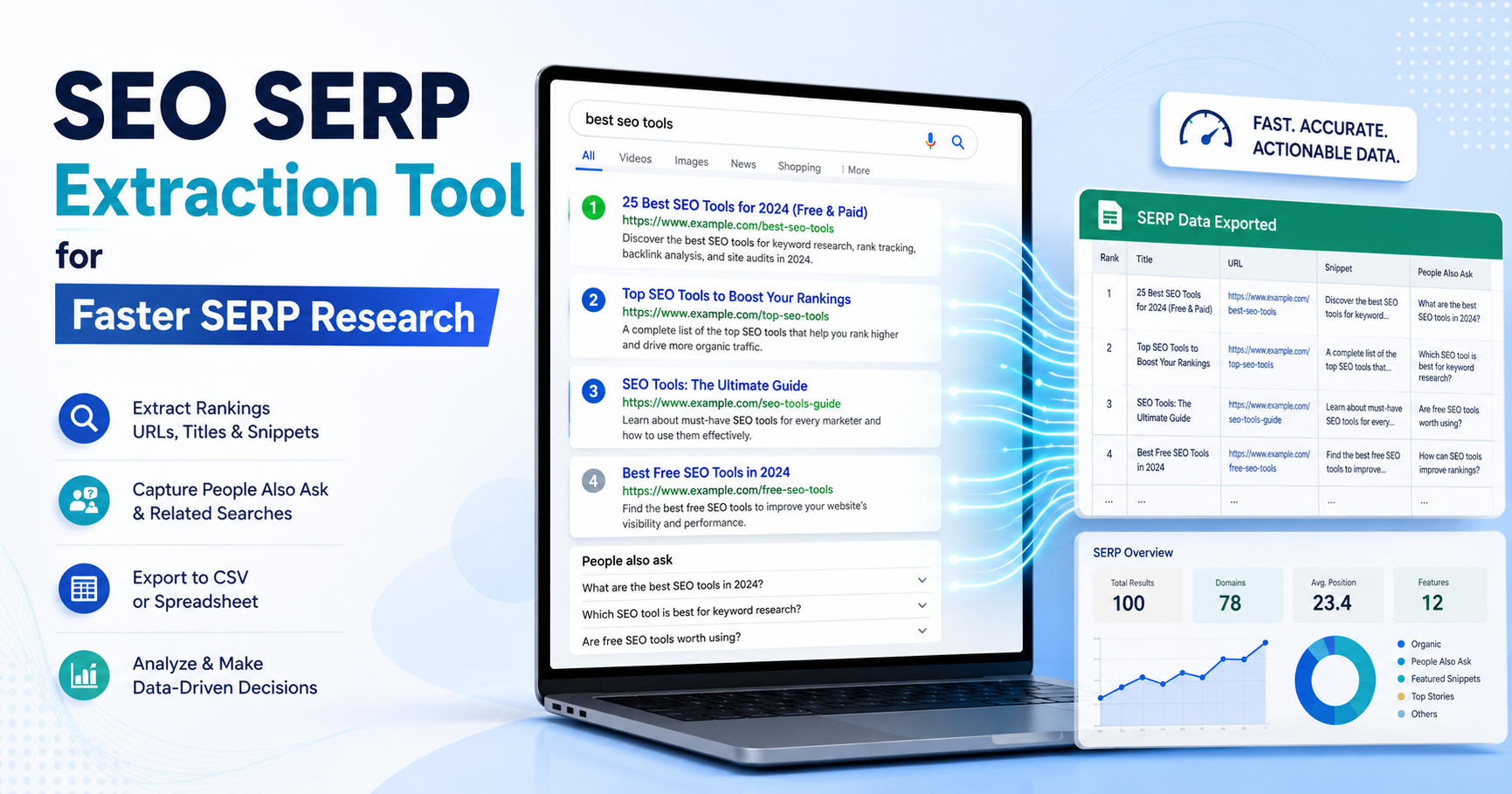
You search a target keyword, spot three new competitors, an AI Overview, and a People Also Ask box—and then realize you need the data in a sheet, not trapped inside a browser tab.
An SEO SERP Extraction Tool turns visible search results into structured data you can review, filter, compare, and report. For SEO teams in India, that can mean faster competitor research, cleaner rank checks, better content briefs, and a clearer record of how Google’s result pages change over time.
This guide explains what an SEO SERP Extraction Tool does, what data to collect, how browser extensions compare with APIs, when Search Console is the better source, and how to avoid misleading results.
It also covers PAA extraction, AI Overviews, local results, CSV workflows, location differences, and Google’s rules around automated queries.
The goal isn’t to collect more rows. It’s to collect the right evidence and turn it into a decision.
Table of Contents
- What Is an SEO SERP Extraction Tool?
- What Data Should You Extract From a Modern SERP?
- SEO SERP Extraction Tool Methods Compared
- How to Use an SEO SERP Extraction Tool Step by Step
- How to Turn Extracted SERP Data Into SEO Decisions
- How to Extract PAA, AI Overviews, Local Packs, and Other SERP Features
- Safe SERP Extraction: Google Policies, Blocking, and Data Quality
- SEO SERP Extraction Tool for India
- Common SERP Extraction Mistakes
- A Practical Workflow for Freelancers, In-House Teams, and Agencies
- Frequently Asked Questions
- Conclusion
What Is an SEO SERP Extraction Tool?
An SEO SERP Extraction Tool is software that captures structured information from a search engine results page, such as ranking position, title, URL, snippet, and selected SERP features. Depending on the tool, it may work as a browser extension, desktop workflow, cloud API, or spreadsheet-ready exporter.
One current Chrome extension using the exact name SEO SERP Extraction Tool says it can capture titles, URLs, positions, People Also Ask data, and export the results to CSV.
That makes the phrase both a product name and a broader description of the job many SEO teams need to perform.
Someone searching the exact phrase may want that extension. Another user may simply want a reliable way to export Google results.
For broader background on what appears on a search results page, read SERPNews’ guide to what a SERP is.
It explains organic listings, paid placements, AI Overviews, PAA boxes, image packs, and other result types that affect real visibility.
A basic extractor copies links. A useful SEO SERP Extraction Tool preserves context.
That context includes the keyword, country, device, date, search feature, and result type. Without it, the same URL list can tell very different stories.
The useful unit of SERP data is not a URL. It is a URL plus the conditions under which it appeared.
What Data Should You Extract From a Modern SERP?
An SEO SERP Extraction Tool should collect enough fields to explain the result page later, not just enough to fill a spreadsheet today. At minimum, record the query, organic position, destination URL, title, visible snippet, date, country, device, and result type.
Google result pages now mix standard links with AI-generated summaries, PAA questions, images, local results, videos, ads, shopping modules, and other elements.
A clean extraction workflow should identify those elements instead of pretending the SERP is still ten blue links.
Start with the core organic fields:
| Field | Why it matters | Typical SEO use |
|---|---|---|
| Query | Ties every row to intent | Keyword analysis |
| Organic position | Shows ranking order | Rank comparisons |
| URL | Identifies the ranking page | Competitor research |
| Title | Reveals positioning and intent | Title pattern analysis |
| Snippet | Shows visible messaging | CTR research |
| Domain | Groups competitors | Share-of-SERP analysis |
| Date collected | Creates a valid snapshot | Trend tracking |
| Country/location | Prevents geo mismatch | Local and national SEO |
| Device | Separates mobile and desktop | Mobile SERP analysis |
| Result type | Distinguishes organic from features | Visibility analysis |
Then add feature-level fields when they appear.
These may include featured snippets, People Also Ask questions, AI Overview citations, image packs, video carousels, local packs, knowledge panels, and paid listings.
The exact SEO SERP Extraction Tool Chrome listing includes PAA extraction and CSV export. Other current SERP products can collect organic results, paid listings and additional SERP modules.
But here’s the thing: not every tool captures every feature accurately.
A browser extension may only read what is already loaded in the active tab. An API may normalize many result types, but its field names can differ from what you see in the browser.
A rank tracker may store position history while ignoring the page layout around that position.
So build your spreadsheet around the questions you need to answer.
If the task is competitor research, domain, title, URL, position, content type, and SERP feature presence matter most.
If the task is content planning, PAA, related searches, result intent, and page format become more useful.
For reporting workflows, SERPNews’ SERP Intelligence section is the natural next step because extraction is only the collection layer.
Analysis is where the business value appears.
Collect fields because they support a decision, not because the extractor happens to offer them.
SEO SERP Extraction Tool Methods Compared
An SEO SERP Extraction Tool can work in four practical ways: a browser extension, a dedicated SERP platform, a SERP API, or first-party search performance data. They overlap, but they are not interchangeable.
A browser extension is usually the fastest choice for a small number of manual checks.
The exact Chrome extension called SEO SERP Extraction Tool is designed to extract data from a Google results page and export it for later analysis.
A Firefox SERP extractor offers a similar workflow, including table output and CSV export.
Dedicated SERP platforms add history, comparison, and reporting.
Ann Smarty’s review of SERP analysis tools highlights workflows using products such as SE Ranking, Thruuu, and Serpsonar to compare rankings, headings, PAA data, page metrics, and exportable results.
SERP APIs make more sense when you need repeatable, structured collection for many keywords, countries, or devices.
They are easier to connect to dashboards and databases, but cost, location settings, freshness and data normalization still matter.
Google Search Console belongs in a separate category.
Its API gives programmatic access to your own verified site’s Search performance data. Google documents dimensions and filters for queries, pages, countries, devices and other performance information.
It does not function as a live competitor SERP extractor.
| Method | Best for | Main strength | Main limitation |
|---|---|---|---|
| Browser extension | Small manual research | Fast and simple | Limited scale |
| SERP platform | Ongoing SEO work | History and analysis | Subscription cost |
| SERP API | Large repeatable datasets | Automation and structure | Cost, quotas, setup |
| Search Console | Your own site performance | First-party Google data | No live competitor SERP snapshot |
For a freelancer checking 20 keywords, an extension may be enough.
For an agency tracking thousands of keywords across Indian cities, a manual extension workflow becomes difficult to reproduce.
For your own site, Search Console should remain part of the evidence set.
Google specifically documents programmatic access to Search Analytics and ways to retrieve larger result sets through the API.
The other side of this is cost.
Some teams assume a paid API is automatically more accurate.
That isn’t guaranteed. Accuracy depends on collection method, location settings, device, freshness, parsing, and whether the tool captures the feature you care about.
The right SEO SERP Extraction Tool is the one that matches your scale and preserves the context you need.
How to Use an SEO SERP Extraction Tool Step by Step
An SEO SERP Extraction Tool works best when you define the search context before you click extract. Choose the keyword, location, language, device, and result depth first. Then capture the page, export structured fields, clean the data, and compare it against a saved baseline.
Step 1: Define the research question
Don’t begin with “I want SERP data.”
Begin with a question.
Are you checking why a competitor moved above you?
Do you want the top 20 pages for a content brief?
Are you collecting PAA questions?
Are you measuring local differences between Mumbai and Bengaluru?
The research question determines which fields matter.
Step 2: Freeze the search context
Record the target country, city if relevant, language, device, date, and search engine.
This is especially important for India because location and language can change visible results.
A keyword checked from Delhi on mobile may not produce the same ordering as the same keyword checked from Chennai on desktop.
If you need broader information on result-page structure, use SERPNews’ Online SERP coverage as a supporting resource.
Step 3: Run the query and review the page before extraction
Look at the page first.
Are ads present?
Is there an AI Overview?
Does a local pack push organic links down?
Is a featured snippet taking the first visible answer position?
This quick visual check helps you catch extraction errors later.
Step 4: Activate the SEO SERP Extraction Tool
For a browser extension, activate it on the current results page and review the extracted table before exporting.
The current Chrome listing for the exact SEO SERP Extraction Tool describes a workflow where the extension captures results, opens them in a separate view, supports filtering, and allows CSV export.
Step 5: Export in a structured format
CSV is convenient for spreadsheet analysis.
For larger systems, JSON is often easier to store and process because it can preserve nested SERP features.
For example, one query may contain several PAA questions or several local-pack businesses.
Step 6: Clean the export
Remove duplicates, navigation links, tracking noise, and anything the extractor incorrectly classified.
Some URL extractors use regex rules to exclude Google-owned domains or target selected domain types.
That can help, but aggressive filtering can also remove something you needed.
Keep an untouched raw export before cleaning.
Step 7: Add interpretation columns
Add fields such as search intent, page type, new competitor, SERP feature ownership, content angle and action required.
These fields turn an export into an SEO working document.
Step 8: Save the snapshot
Never overwrite the previous extract if you want to study movement.
Add the collection date to the filename and keep search settings consistent.
This gives you a before-and-after record.
A repeatable SERP snapshot is more valuable than a one-off ranking screenshot.
How to Turn Extracted SERP Data Into SEO Decisions
An SEO SERP Extraction Tool creates evidence, but the export itself is not an SEO strategy. The useful work begins when you compare pages, identify patterns, separate real changes from noise, and decide whether to update content, investigate technical issues, or wait.
A simple five-stage analysis works well: signal, context, cause, action, and validation.
First, find the signal.
A competitor entered the top five.
Your page dropped three positions.
A new PAA box appeared.
Google started showing a different page from your site.
Second, add context.
Was the check mobile or desktop?
Which location?
Did the SERP layout change?
Was the same URL ranking before?
Third, investigate likely causes.
Compare top pages by search intent, content type, title framing, freshness, topical coverage, media, and link strength.
Don’t assume every ranking movement is caused by word count.
Practical Ecommerce’s SERP tools article shows why extraction often expands into analysis. Its examples move from copying URLs to adding title, backlink, traffic, autocomplete, PAA, and related-search information.
Ann Smarty’s later article goes further by discussing tools that compare word counts, images, headings, related keywords, PAA, and SERP similarity.
That is the direction a strong workflow should take.
Fourth, choose an action.
You may need to update the title, expand a missing subtopic, strengthen internal links, fix indexing, create a better matching page, or do nothing yet.
Fifth, validate.
Repeat the same extraction after a sensible interval and compare it with the baseline.
For a worked reporting model, SERPNews’ guide to Bing SERP reports uses a similar decision-first structure.
The search engine differs, but the reporting principle carries over: position becomes useful when it is connected to context and action.
A soft next step is simple: after your first export, pick one keyword and explain every visible change before changing the page.
Good SERP analysis reduces random SEO edits. It gives each edit a reason.
How to Extract PAA, AI Overviews, Local Packs, and Other SERP Features
An SEO SERP Extraction Tool should treat SERP features as first-class data when they affect what users actually see. Organic position alone can mislead when an AI Overview, PAA box, local pack, image block, or ad group occupies the screen above it.
People Also Ask is a clear example.
The exact SEO SERP Extraction Tool extension lists PAA extraction and PAA CSV export among its features.
SEO practitioners have also asked specifically for ways to collect PAA questions across multiple keywords because manual copying becomes slow.
For content planning, store the PAA question, visible source when available, and the query that triggered it.
Then group similar questions by intent.
AI Overviews need a different field structure.
Record whether an AI Overview appears, which domains are cited, what types of sources appear, and whether your target domain is present.
Don’t reduce AI visibility to a normal organic rank.
According to Google Search Central’s AI features documentation, AI Overviews and AI Mode may use query fan-out across related searches and data sources.
That means a supporting page may gain visibility through a related subtopic rather than only through the head query.
Local packs need their own fields too.
Store business name, visible order, category and location context.
For image and video blocks, record presence and ownership rather than treating them like standard organic URLs.
| SERP feature | Capture | SEO question |
|---|---|---|
| PAA | Question, source, trigger query | What sub-question is Google surfacing? |
| AI Overview | Presence, citations, cited domains | Which sources support the answer? |
| Local pack | Businesses, order, location | Who owns local visibility? |
| Image pack | Domains/images shown | Is visual intent strong? |
| Video | Platform, title, position | Does the query prefer video? |
| Featured snippet | Format, source, answer type | Can a clearer answer win visibility? |
For more on these result types, SERPNews’ SERP Features category is the right internal hub.
If a feature changes what the searcher sees, it belongs in the dataset.
Safe SERP Extraction: Google Policies, Blocking, and Data Quality
An SEO SERP Extraction Tool should be used carefully because large-scale automated querying can create policy, reliability, and blocking problems. Google’s current spam policies specifically include automated queries and scraping search results for rank checking within machine-generated traffic when done without express permission.
You can review the policy directly in Google Search Central’s spam policies.
That point is easy to ignore when the technical job seems simple.
A manual browser extension working on a page you opened yourself is operationally different from a bot sending thousands of automated searches.
But teams should still review applicable terms and avoid workflows based on bypassing blocks or CAPTCHAs.
For large-scale collection, use a provider or data source whose method and terms you understand.
Also separate two different risks: access risk and data-quality risk.
Access risk includes rate limits, blocking, CAPTCHA challenges, or changing page markup.
Data-quality risk includes missing results, wrong country, wrong device, duplicate URLs, stale information, and parsers that mislabel SERP features.
A recent SEO-workflow discussion described the practical problem clearly: a local browser-agent approach produced a usable SERP snapshot for one test query while others were blocked, making the setup unreliable as the sole data collector.
That doesn’t mean extraction is useless.
It means the workflow needs validation.
Use three checks:
- Compare a sample of extracted rows with the visible SERP.
- Save query context with every batch.
- Cross-check your own site’s performance with Search Console where relevant.
Google’s Search Console API documentation confirms that the API provides programmatic access to Search performance information for verified sites.
It is not a substitute for a live SERP snapshot, but it provides valuable first-party evidence about your own pages.
Some people argue rank extraction should be fully automated because manual checks don’t scale.
That is true for large keyword sets.
But full automation does not remove the need for sampling and QA. It increases it.
The larger the extraction job, the more important validation becomes.
SEO SERP Extraction Tool for India: Location, Language, and Mobile Checks
An SEO SERP Extraction Tool used for Indian search research should preserve location, device, and language context. India is not one uniform SERP market, so a national keyword can produce different visible results across cities when the query has local or regional intent.
For local businesses, compare the same query from cities that matter commercially.
For national publishers, run mobile and desktop checks separately when the keyword is important.
Mobile layouts can change how much of the organic list is visible before the user scrolls.
Language is another layer.
A query written in English can still produce locally influenced results.
Hindi and regional-language searches may surface different domains, videos, communities, and local sources.
The extraction sheet should include:
- Country
- City or region
- Language
- Device
- Exact query spelling
- Date and time
- Result depth
Don’t combine city-level extracts into one ranking number unless that is the reporting goal.
SERPNews already addresses Indian location differences in its SERP guide, noting that results can vary between cities.
If you are studying search visibility rather than extraction alone, SERPNews’ SERP Lab is a logical place to connect experiments across different conditions.
For Indian agencies, this matters most when clients operate in several cities.
A single national snapshot can hide strong local wins and local losses.
Geo context is part of the ranking, not a note you add later.
Common SERP Extraction Mistakes
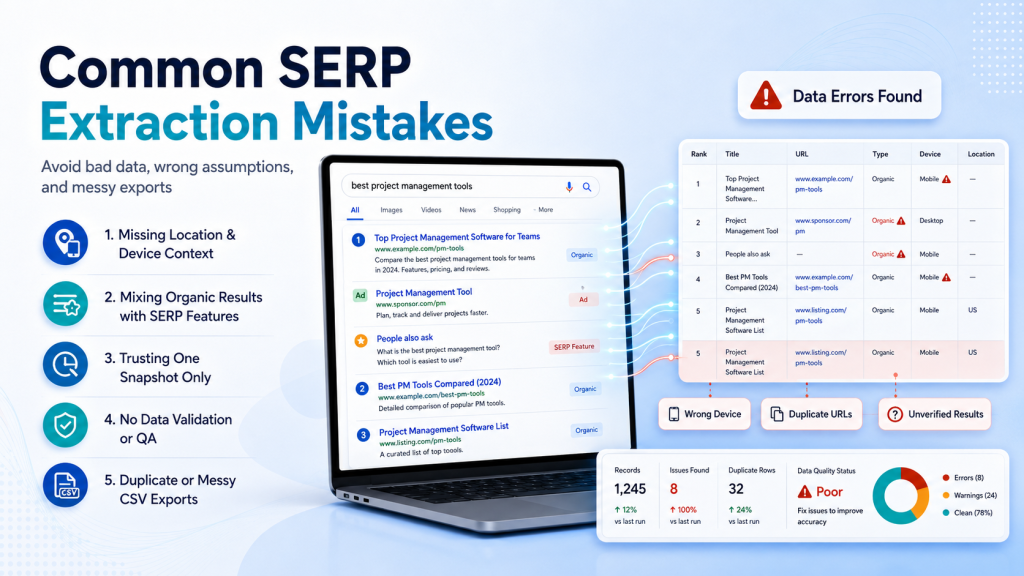
An SEO SERP Extraction Tool can save time, but a weak setup can produce very clean spreadsheets full of misleading data. The most common mistakes come from missing context, mixing result types, trusting one snapshot, and collecting more fields than anyone will use.
The first mistake is treating every extracted link as an organic result.
Google-owned navigation links, ads, PAA sources, local-pack links, image results, and normal organic listings need separate labels.
The second is forgetting location and device.
A ranking without location is incomplete for many queries.
A ranking without device can also hide meaningful layout differences.
The third is comparing exports collected under different conditions.
If Monday’s file uses desktop India and Friday’s file uses mobile Mumbai, the movement may come from the test setup.
The fourth is assuming “more rows” means “better research.”
One SEO discussion about exporting indexed URLs shows how easily different datasets get confused. Index coverage, Search Console performance data, and visible SERP results solve different questions.
The fifth is ignoring failed extractions.
If a parser returns seven organic results while ten are visibly present, flag the batch.
Don’t quietly accept it.
The sixth is using competitor averages as instructions.
If every top page has 2,000 words, that does not mean your page automatically needs 2,100.
The extract should help you understand intent and coverage rather than copy a template.
The seventh is keeping no raw copy.
Always preserve the original export.
Cleaning steps should be reversible.
A clean file is not proof of clean data.
A Practical Workflow for Freelancers, In-House Teams, and Agencies
An SEO SERP Extraction Tool should fit the team using it. Freelancers usually need speed, in-house teams need repeatability, and agencies need scale, location control, history, and reporting that can be audited later.
| Team | Suggested setup | Review rhythm |
|---|---|---|
| Freelancer | Browser extension + spreadsheet + Search Console | Weekly or project-based |
| In-house SEO | Rank tracker/SERP platform + Search Console + manual QA | Weekly |
| Agency | SERP API/platform + database/dashboard + sampled manual checks | Daily to weekly |
| Content team | SERP extractor + PAA/query fields + brief template | Before each brief |
For a freelancer, the exact SEO SERP Extraction Tool may be enough when the task is to copy visible results, filter them, and export CSV.
For an in-house team, add historical storage.
A row should show current and previous states so movement is easy to verify.
For an agency, build a data dictionary.
Define what “position,” “feature,” “location,” “mobile,” and “AI citation” mean inside reports.
This prevents different account managers from interpreting the same fields differently.
Also decide what triggers action.
A one-position move may not matter.
A URL switch from the intended landing page to an old article may matter immediately.
A new AI Overview may matter even when the organic position is unchanged.
This is where SERP extraction becomes useful intelligence instead of another spreadsheet.
For this guide, we reviewed current browser-extension listings, competitor articles, official Google documentation, SERP analysis resources, and SEO-community questions.
The biggest gap was consistent: most resources explain how to collect data, but fewer explain how to validate it and turn it into a decision.
That is the standard your workflow should use.
Extraction answers “what appeared?” Analysis answers “what should we do?”
Frequently Asked Questions
What does an SEO SERP Extraction Tool do?
An SEO SERP Extraction Tool captures search-result data such as URLs, titles, positions, snippets, and selected SERP features so you can analyze or export them.
Can I export Google SERP results to CSV?
Yes. Several browser-based SERP tools support CSV export. Check extracted rows against the visible search page before using the file for reporting.
Is Google Search Console a SERP extraction tool?
No. Search Console reports performance for your verified properties. It provides first-party search-performance data rather than a live competitor SERP snapshot.
Can an SEO SERP Extraction Tool collect People Also Ask questions?
Some can. The current Chrome extension using that exact name lists PAA extraction and PAA-to-CSV export among its features.
What is the best way to extract thousands of SERP results?
For large repeatable jobs, a SERP API or dedicated platform is usually easier to manage than manual browser extraction. Validate samples and review provider terms.
How do I check SERP results for India?
Set India as the country, then add city, language, and device controls where the query requires them. Keep those settings with every saved export.
Is SERP scraping allowed by Google?
Google’s spam policies say machine-generated traffic includes automated queries and scraping search results for rank checking without express permission. Review the policy before automating collection.
Conclusion
An SEO SERP Extraction Tool is most useful when it preserves search context, captures modern SERP features, and feeds a repeatable analysis process. Start with one important keyword, save a clean baseline, validate the export, and connect every change you find to one clear SEO action.
Ready for the next step? Continue with SERPNews’ SERP Intelligence coverage and turn your next SERP export into an evidence-based report.
