

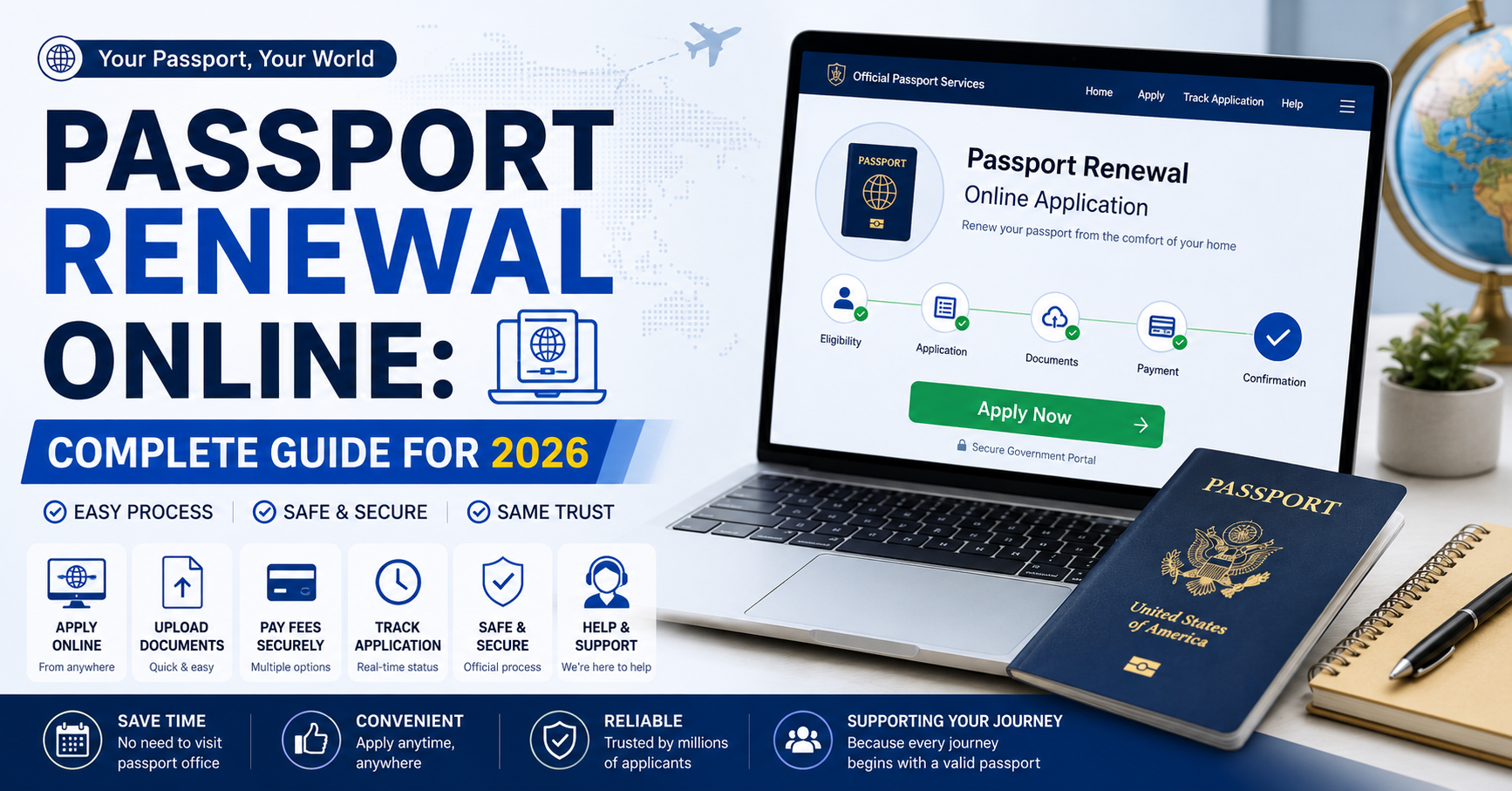
Passport renewal online has made replacing an expired or soon-to-expire passport much easier in many countries. Instead of making several office visits, eligible applicants can often submit information, upload a digital photo, pay the required fee, and track their application through an official government portal.
However, online renewal is not identical everywhere. Eligibility rules, passport validity requirements, fees, photo specifications, processing times, and delivery procedures depend on the government that issued your passport. Some countries offer a nearly complete digital process, while others still require applicants to mail an old passport or visit an office in certain situations.
This guide explains how passport renewal online normally works, what documents you should prepare, how to avoid common application problems, and how official systems in the United States, United Kingdom, and Pakistan currently handle online renewal. Government procedures can change, so applicants should always confirm final requirements through their country’s official passport authority before making a payment or arranging international travel.
The information below was checked against current government guidance available in September 2026, including the U.S. Department of State, GOV.UK, and Pakistan’s Directorate General of Immigration & Passports.
What Is Passport Renewal Online?
Passport renewal online is a digital application process that allows an eligible passport holder to request a new passport without completing the traditional application entirely on paper. Depending on the country, applicants may create an account, enter personal details, upload a photograph, provide previous passport information, pay electronically, and receive application updates online.
Renewal is different from applying for a first passport. A renewal normally relies on information connected to an existing passport, while first-time applicants frequently have additional identity, citizenship, interview, or biometric requirements.
It is also important to understand that “online renewal” does not always mean every stage happens online. For example, British applicants who renew digitally generally need a digital photo and their previous passport, and official guidance explains that the old passport may need to be sent as part of the process.
The United States has its own eligibility-based online system. Eligible U.S. citizens seeking routine service can complete the renewal electronically, while people who do not meet the online conditions may need to renew by mail or use another approved application method.
Pakistan also provides an online passport service. The Directorate General of Immigration & Passports states that its online renewal facility is available to both inland and overseas Pakistanis, subject to the relevant eligibility and document requirements.
These differences explain why applicants should never assume that instructions written for another country apply to their passport.
Who Can Renew a Passport Online?
Eligibility is one of the first things you should check before starting passport renewal online. Governments normally restrict online renewal to applicants whose existing passport and personal circumstances satisfy particular conditions.
A straightforward adult renewal is more likely to qualify for an online process than a complicated case involving a lost passport, damaged document, major identity change, first passport, or special citizenship issue. Children’s applications may also follow different procedures because parental or guardian requirements can apply.
United States online renewal eligibility
The U.S. Department of State currently allows eligible citizens to renew online for routine service. Among the listed requirements, the applicant must be at least 25 years old, the passport being renewed must have been valid for 10 years, and it must either expire within one year or have expired less than five years ago.
The applicant must also have the passport, it cannot have been reported lost or stolen, and it cannot be damaged or mutilated. The Department of State currently says applicants using online renewal must be located in a U.S. state or territory when submitting the application and must not be traveling internationally for at least six weeks from the submission date.
Another important restriction is personal-information changes. The current U.S. online system is intended for applicants who are not changing information such as their name or sex through the renewal application. People outside these conditions should check the alternative procedures published by the Department of State.
United Kingdom renewal eligibility
The United Kingdom provides an established online service for adult passport renewal. An adult passport generally applies to someone aged 16 or older, including someone who will turn 16 within the next three weeks. Different procedures exist for children’s passports and for applicants outside the UK.
UK applicants should also distinguish between ordinary renewal, replacement of a lost or stolen passport, changes to personal details, and urgent passport services. These options may look similar from a search result but are handled through different official pathways.
Pakistan online renewal eligibility
Pakistan’s DGI&P states that online passport renewal is available for inland and overseas Pakistanis. Its dedicated online renewal guidance says applicants can use the renewal facility when a Machine Readable Passport has expired or has less than one year of validity remaining.
There is an important detail worth noticing. DGI&P’s broader passport guidance also says there is no general restriction on renewing a passport before expiry and that a full five or ten-year validity passport can be issued before the existing document has completed its validity, although a reason may be requested. The dedicated online-service page has more specific wording about the online renewal category, so applicants renewing early should check the live portal to determine which route fits their case.
That distinction is exactly why relying on an unofficial blog or an old social-media post can create problems. Passport regulations and online categories can be updated even when the general passport-renewal principle remains the same.
Documents and Information You Should Prepare
Preparing everything before starting passport renewal online can prevent expired sessions, incorrect entries, and repeated uploads. Requirements differ by country, but most systems ask for information connected to your current passport, identity, photograph, contact details, and payment.
A digital photograph deserves particular attention. Passport photo rules are stricter than ordinary profile-picture requirements, and an attractive photo is not necessarily a compliant passport photo. Lighting, background, face position, image quality, recent appearance, file format, and digital dimensions may all matter.
Before starting the application, prepare the following items where required by your passport authority:
- Your current or most recently issued passport, including its passport number, issue date, and expiration date.
- Government-issued identity or citizenship information required by the official application.
- A recent digital passport photograph that follows the issuing authority’s current photo rules.
- Your current residential and mailing address, telephone number, and an email address you check regularly.
- Supporting documents for any circumstance covered by the renewal system.
- A valid payment method accepted by the government portal, such as an eligible credit or debit card.
- Travel information if the form asks about upcoming international travel.
- Access to the email address or mobile number used for account verification and application updates.
Do not upload additional identity documents simply because you think they might help. Provide what the official application requests and make sure every uploaded document is readable, complete, current where required, and connected to the correct application field.
For U.S. online renewal, the Department of State currently lists the passport being renewed, a digital passport photo, payment information, Social Security number, and other personal information among the items applicants may need.
Pakistan’s online application works through an account-based system where applicants provide demographic and biometric information and supporting documentation. DGI&P states that applications are reviewed at headquarters and may be referred for additional verification where necessary.
For the UK, official online guidance highlights the importance of a digital passport photo and the applicant’s previous passport. Applicants should follow the current photo instructions rather than reusing an old image that may no longer meet the rules.
How to Complete Passport Renewal Online
The exact screens vary, but most passport renewal online systems follow the same broad logic: confirm eligibility, identify yourself, provide passport information, upload required material, review the application, pay, and wait for official processing.
1. Start from the official government website
The safest way to begin is through your country’s main government or passport authority website rather than a sponsored search result. Search advertisements and private assistance services can appear above official results, so the domain name matters more than its position on the screen.
U.S. authorities specifically warn applicants about unofficial passport renewal websites. The Department of State says its authorized online renewal system is hosted through its official government service and warns that third-party companies may charge extra fees or expose personal information.
U.S. applicants can verify requirements on the official U.S. Department of State passport renewal guide. Pakistani applicants can use the official DGI&P online passport service, while British applicants can check the official GOV.UK passport renewal guidance.
2. Check eligibility before creating the application
Do not assume you qualify simply because your passport is expiring. Age, where you are currently located, how long ago the document expired, whether the document is damaged, upcoming travel, and personal-detail changes can all affect eligibility.
Completing this check first prevents a common problem: spending time preparing an online application only to discover that the case requires a different form or an in-person procedure.
3. Create or access your account
Many digital systems require a verified login. Use an email account you control because password verification, status messages, document requests, and security notifications may be sent there.
Choose a strong, unique password and avoid creating your passport account on a shared public computer. Passport applications contain sensitive identity information, so basic account security matters.
4. Enter information exactly
Passport number, legal name, birth information, identity numbers, contact details, and other fields should be entered exactly as the official form requires. A small typo can become more important in a government identity application than it would in an ordinary online registration form.
Check dates carefully because day, month, and year formats can vary between systems. You should also verify spelling before proceeding instead of relying entirely on browser autofill.
5. Upload your digital photograph
Follow the official photo requirements for your country. Do not heavily edit the image, apply beauty filters, alter facial features, remove or replace facial details, or use an artificial background if the rules do not allow it.
A photo can look perfectly clear to a person and still fail an automated compliance check. Leaving enough time to retake a rejected photograph is safer than submitting an application immediately before an important trip.
6. Review the application before payment
Slow down at the review screen. Compare important fields against your existing passport and identity documents, paying particular attention to names, document numbers, date of birth, addresses, and contact information.
Many application problems begin with simple data-entry mistakes rather than complex legal issues. A five-minute review before submission can be more useful than trying to correct a preventable error afterward.
7. Pay only through the authorized system
Verify the amount displayed by the official authority and keep the payment receipt or confirmation reference. Fees may change, and additional services such as faster delivery can have separate charges.
Never send payment to an individual who contacts you through messaging apps and claims that they can privately accelerate government processing. Legitimate passport fees should be handled through the payment methods specified by the responsible authority.
8. Save the application reference and track progress
After submission, save your reference, tracking number, confirmation email, or downloadable receipt. Do not publish screenshots containing passport numbers, tracking references, addresses, identity numbers, QR codes, or account information on social media.
Use the government’s official tracking system rather than repeatedly submitting a new application. Duplicate applications can create confusion and will not necessarily speed up processing.
Passport Renewal Online Fees and Processing Times
The cost of passport renewal online depends heavily on the issuing country, passport type, validity period, processing category, and delivery option. Fees and waiting times can also change, so figures should be treated as current examples rather than permanent prices.
| Country | Current online-renewal example | Important timing point |
|---|---|---|
| United States | Passport book $130, passport card $30, or book and card $160 for eligible online renewals | U.S. online renewal is for routine service, and current eligibility guidance says applicants must not have international travel for at least six weeks after submission |
| United Kingdom | £102 for an adult online renewal, compared with £115.50 for a paper application | Applicants are advised not to book travel until they have a valid passport |
| Pakistan | Fee depends on passport type, validity, page count, and processing category | Online applications are reviewed and applicants receive status information through the registered contact details |
The U.S. online system also currently lists optional one-to-three-day delivery of the completed passport book for $23.36. This delivery option should not be confused with expedited application processing because the Department of State states that online renewal itself cannot be expedited.
For UK adults, the government currently lists an online renewal or replacement fee of £102 and a paper-form fee of £115.50. The UK also provides separate urgent-service options, but applicants should check eligibility and appointment availability rather than assuming that ordinary online renewal will become urgent automatically.
Processing time should also be separated from delivery time. An application may spend time awaiting review, undergoing verification, being printed, and then moving through postal or courier delivery.
Avoid treating a website’s estimated processing period as a guaranteed delivery date. Government authorities can request extra information or verification, and demand can vary during busy travel periods.
Common Passport Renewal Problems and How to Fix Them
Most passport renewal online difficulties fall into a few categories: eligibility problems, photograph rejection, incorrect personal information, payment problems, browser issues, or additional verification.
Digital photo keeps getting rejected
Start by comparing the photograph with the official photo rules rather than repeatedly uploading the same file. Check image clarity, background, shadows, head position, facial visibility, recent appearance, file type, and file size.
Avoid screenshots of printed photos or photographs copied from social-media profiles. A fresh image created specifically for the passport application is usually easier to evaluate against government requirements.
Payment fails or remains pending
First check whether your card or payment method is accepted by the government system. Do not repeatedly submit payment within seconds because you may create multiple authorization attempts while the first transaction is still being processed.
Check your application account and banking activity before trying again. If the official portal shows an error after money has been deducted, contact the passport authority or payment support channel listed on the official site.
Application status does not change
A status page is not a live view of every internal processing action. Your application can still be moving through verification even when the public-facing status has not changed recently.
Wait for the published processing window unless the authority has instructed you to contact support earlier. If you do need assistance, provide your application reference through the official support channel rather than posting it publicly.
You entered incorrect information
Do not start a second application automatically. Different governments have different correction procedures, and some fields can be corrected through official instructions while others may require a different process.
Check the issuing authority’s correction or support guidance as soon as you notice the mistake. Acting before the passport is printed is generally better than discovering incorrect information after delivery.
Your passport was lost, stolen, or badly damaged
A standard renewal process may not be appropriate. Governments often treat lost, stolen, and damaged passports differently because the old document cannot simply be handled as a normal renewal.
For example, U.S. online eligibility requires applicants to possess the passport being renewed and excludes passports reported lost or stolen or those that are damaged or mutilated.
You suddenly need to travel sooner
Do not assume submitting multiple applications will solve the problem. Check the official urgent or expedited options offered by your passport authority.
The U.S. online system currently requires applicants to have no international travel planned for at least six weeks after submission, while the UK warns applicants not to book travel until they have a valid passport.
How to Avoid Passport Renewal Scams and Protect Your Data
Safety is one of the most important parts of passport renewal online because a passport application contains valuable identity information. Criminals and misleading commercial services can imitate government pages, purchase search advertisements, or send fake renewal messages.
A polished design is not proof that a website is official. Look at the domain, agency name, privacy information, payment process, and whether you reached the page through the government’s main website.
The U.S. Department of State gives unusually direct guidance on this issue. It warns that unofficial companies claiming to handle U.S. online renewal can charge additional fees and place applicants’ personal information at risk, and it advises applicants to confirm that they are using an official government domain.
Do not upload passport scans to random “eligibility checker” websites. A third-party article can explain a process, but identity documents should be submitted only where the responsible government authority directs you to submit them.
Be cautious with unsolicited emails and messages saying your passport is “blocked,” “suspended,” or urgently needs a payment. Instead of clicking the message link, independently open the official passport authority’s website and check your application there.
Never share a one-time verification code with a person claiming to be government support. Codes used to sign in or confirm an account should remain private unless the official application itself asks you to enter the code on its secure page.
For readers who regularly research information through search engines, understanding how results and different search features are displayed can also make it easier to distinguish organic information from advertisements and other SERP elements. SERP News has a separate guide to modern search-result layouts in its SERP Features guide, while additional research-oriented explainers appear in the SERP Lab section.
Country-Specific Differences You Should Know
One of the biggest mistakes in passport renewal online research is reading a guide written for one country and assuming the same rules apply everywhere. Passport issuance is controlled by individual governments, so even countries with mature digital services have noticeably different procedures.
United States
Eligible U.S. citizens can renew online through the Department of State for routine service. Current requirements include being at least 25, renewing a passport that was valid for ten years, meeting specific expiration-date conditions, possessing an undamaged passport, and having no international travel planned for at least six weeks.
A particularly important point is what happens after submission. The Department of State explains that the passport being renewed will be invalidated and cannot be used for international travel after cancellation, although an online applicant generally keeps the physical passport instead of mailing it with the online application.
United Kingdom
UK adult passport holders can generally renew online through GOV.UK. Online renewal is currently cheaper than using the paper application, with the official adult fees listed as £102 online and £115.50 by paper.
The government also warns travelers not to book travel until they possess a valid passport because a renewed passport will have a different passport number. Urgent services exist separately for applicants who meet their conditions.
Pakistan
Pakistan’s DGI&P operates an online Machine Readable Passport service and states that online renewal is available for both inland and overseas Pakistanis. Applicants create login credentials and submit the requested demographic, biometric, and supporting information through the application system.
Submitted applications are reviewed by DGI&P, and cases may be referred to the nearest mission or Regional Passport Office for further verification when necessary. Applicants are informed about application progress through registered contact information, and DGI&P emphasizes that information and documents submitted by applicants must be accurate.
This comparison shows why there is no universal passport renewal form. The useful general steps are similar, but eligibility, documents, fees, identity checks, and delivery procedures remain country specific.
Practical Tips Before You Submit Your Renewal
Successful passport renewal online is less about completing the form quickly and more about submitting accurate information through the correct channel. Give yourself enough time to solve unexpected photo, payment, document, or verification problems.
Check the expiry rules of your destination as well as the expiry date printed in your passport. Some destinations and airlines apply passport-validity requirements that can affect travelers even when the passport itself has not yet expired, so renewal planning should start well before an important international trip.
Do not treat an estimated passport-processing time as the amount of time you can safely leave before departure. Processing, requests for additional information, printing, courier handling, weekends, public holidays, and unexpected delays can all affect when the document actually arrives.
Use an email address you regularly monitor. Government requests for additional information can have response deadlines, and missing a legitimate notification may delay the application.
Keep your old passport and application records secure. Even an expired passport contains personal information that should not be left where others can photograph or copy it.
Finally, check official guidance again immediately before submission. An article can help you understand the process, but the government authority that issues your passport remains the final source for current eligibility, fees, documents, processing categories, and legal requirements.
Frequently Asked Questions About Passport Renewal Online
Can I renew my passport completely online?
It depends on your country and your individual situation. Some applicants can complete most or nearly all stages digitally, while other governments may require an old passport to be mailed, additional verification, or an office visit.
How early can I apply for passport renewal online?
There is no universal time limit because each issuing authority sets its own eligibility rules. For example, the current U.S. online program uses specific expiration windows, while Pakistan’s dedicated online-renewal page states that the service applies when the passport has expired or has less than one year of validity remaining.
Can I renew an already expired passport online?
Possibly, depending on the issuing country and how long the passport has been expired. The U.S. currently permits eligible online applicants whose qualifying passport expired less than five years ago, while other countries apply different conditions.
Can I travel while my online renewal is being processed?
Do not rely on the passport you are renewing without checking your government’s rules. In the U.S. online process, the old passport is invalidated after submission, and current eligibility requires applicants not to have international travel for at least six weeks after applying.
Is passport renewal online cheaper?
Sometimes. The UK currently charges £102 for an adult online renewal compared with £115.50 for the paper-form route, but prices and fee structures are different in other countries.
What happens if my digital passport photo is rejected?
Follow the issuing authority’s instructions and provide a replacement image that meets its technical and visual requirements. Do not try to make a non-compliant image pass by heavily editing your face, background, or identifying features.
Is it safe to use a third-party passport renewal website?
The safest option is to use the official government service designated by your passport authority. The U.S. Department of State specifically warns that unauthorized online renewal websites can charge extra money and create risks for personal information.
How can I track an online passport renewal?
Use the tracking method provided by the government authority after submission, normally using your application or reference number. U.S., UK, and Pakistani authorities provide status or application-update mechanisms as part of their passport services.
Final Thoughts on Passport Renewal Online
Passport renewal online can remove much of the paperwork and unnecessary travel associated with traditional passport renewal, but convenience does not remove the need for accuracy. The most important steps are confirming eligibility, preparing compliant documents and photographs, entering information correctly, paying through an authorized portal, and allowing enough time before international travel.
Applicants should also remember that passport rules are country specific. U.S. online renewal has detailed eligibility restrictions, UK online renewal has its own fees and document procedures, and Pakistan’s DGI&P provides dedicated online services for eligible inland and overseas applicants.
Most importantly, use independent articles such as this one to understand the process, then verify the final application requirements directly with the government that issued your passport. Fees, eligibility rules, processing times, online categories, and portal procedures can change, so checking the official source immediately before submission is the safest approach.
For additional researched explainers and digital-information guides, readers can explore SERP News and its SERP Lab resource section.
