

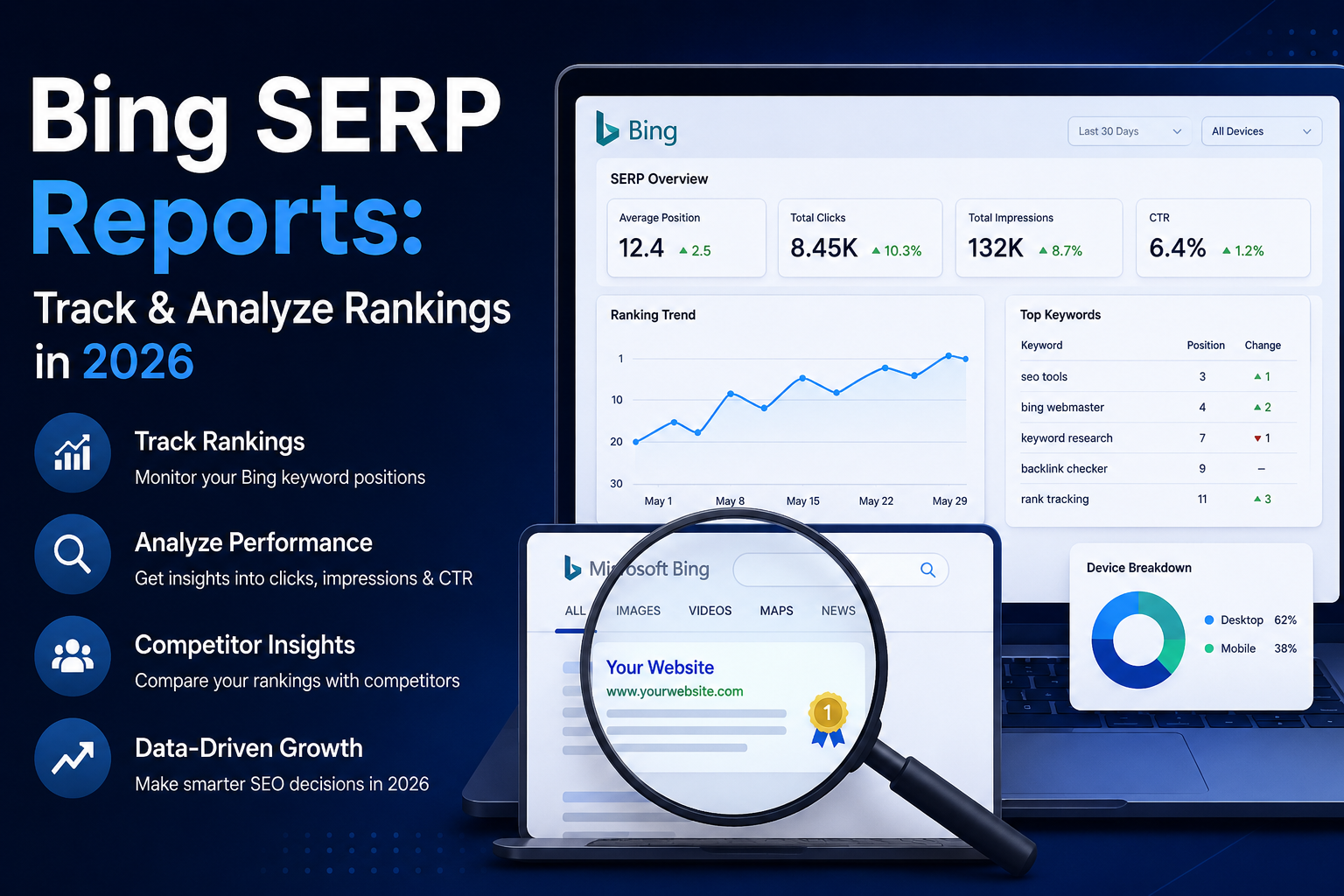
You open an SEO dashboard and see green arrows, red arrows, changing positions, and visibility graphs—but one important question is still unanswered:
What should you actually do next?
That is where a useful Bing SERP report becomes different from a basic rank-tracking export.
A good report does not simply tell you that a keyword moved from position 6 to position 4. It explains which URL is ranking, whether the search-result layout changed, which competitors moved, whether impressions and clicks changed, and whether the movement deserves action at all.
For SEO professionals, publishers, agencies, and business owners, the goal should not be to collect more ranking data. The goal should be to turn Bing search visibility into better decisions.
This guide explains how to build, read, validate, and use Bing ranking reports in 2026. It covers Bing Webmaster Tools, rank trackers, SERP APIs, location and device tracking, competitor analysis, data-quality checks, AI search visibility, and practical reporting workflows.
For broader search-result analysis, explore the SERP Intelligence section on SERPNews.
Quick Answer: A useful Bing SERP report combines keyword rankings, ranking URLs, location, device, competitors, SERP features, impressions, clicks, CTR, AI visibility where relevant, and a recommended action. A ranking number alone is not enough.
Table of Contents
- What Is a Bing SERP Report?
- What a Useful Bing Ranking Report Should Tell You
- Why Bing SERP Reporting Still Matters in 2026
- 12 Metrics Every Bing SERP Report Should Include
- A Practical Bing SERP Reporting Framework
- How to Create a Bing SERP Report Step by Step
- Bing Webmaster Tools vs Rank Trackers vs SERP APIs
- How to Track Bing Rankings by Location and Device
- Why SERP Features Matter as Much as Position
- How to Turn Bing Ranking Data Into SEO Actions
- Sample Bing SERP Report
- Bing SERP Reports vs Google SERP Reports
- How to Report Bing SEO Performance to Clients
- Common Bing Reporting Mistakes
- Bing SERP Reports and AI Search Visibility
- How to Improve AI Search Visibility
- How Often Should Bing Rankings Be Reviewed?
- Frequently Asked Questions
- Conclusion
What Is a Bing SERP Report?
A Bing SERP report is a structured view of how a website appears in Microsoft Bing search results for selected queries.
At a basic level, it may include:
- Target keyword
- Current organic position
- Previous position
- Ranking URL
- Location
- Device
- Date checked
A more useful report goes further.
It connects ranking information with:
- Impressions
- Clicks
- Click-through rate
- Search intent
- Competing pages
- SERP features
- URL changes
- Commercial importance
- Recommended SEO actions
- AI citation visibility where available
That distinction matters.
A traditional ranking export answers:
“Where do we rank?”
A useful SEO report answers:
“What changed, why might it matter, and what should we investigate next?”
This difference is what turns rank tracking from a monitoring task into an SEO decision-making system.
What a Useful Bing Ranking Report Should Tell You
Every meaningful Bing ranking report should help answer four questions.
1. What Happened?
Start with the measurable change.
Ask:
- Did the keyword gain or lose positions?
- Did Bing start ranking a different page?
- Did impressions increase?
- Did clicks decline?
- Did CTR improve or fall?
- Did a competitor move above your page?
The first layer should always describe what actually happened before trying to explain why.
2. What Changed Around the Result?
A ranking can remain stable while the surrounding search-result page changes significantly.
Bing may display:
- AI-generated summaries
- Images
- Videos
- Paid listings
- Local results
- Shopping elements
- Related searches
- Answer-style modules
- News results
- Other enhanced SERP features
A page may remain organic position three while losing real visibility because new search features appear above it.
That is why SERP Features should be part of ranking analysis rather than treated as decoration around organic results.
3. Does the Change Matter?
Not every keyword deserves the same response.
A drop from position 4 to position 9 for an important commercial keyword may require immediate investigation.
A change from position 47 to 52 for a low-value informational query may have almost no measurable business impact.
Useful reporting therefore needs to combine ranking movement with:
- Search intent
- Traffic potential
- Conversion value
- Page importance
- Business relevance
4. What Happens Next?
Every material movement should lead to one of three outcomes:
Act. Investigate. Wait.
Sometimes the right decision is to update a page.
Sometimes the correct response is to investigate indexing or internal linking.
And sometimes the smartest decision is to make no change until more evidence appears.
A ranking position tells you where your page appeared. A useful SERP report tells you whether that position matters and what you should do about it.
Why Bing SERP Reporting Still Matters in 2026
Bing remains much smaller than Google in many markets, particularly India.
According to StatCounter’s India search engine market share data, Google continues to dominate the Indian search market while Bing holds a much smaller share.
That means an India-focused mass-market website should not automatically give Bing the same SEO budget as Google.
However, market share is not the same as business value.
Bing may deserve more attention when a website serves:
- B2B buyers
- SaaS audiences
- IT professionals
- Export businesses
- Digital agencies
- Enterprise users
- International customers
- Desktop-heavy audiences
- Microsoft ecosystem users
- High-value commercial searches
A smaller search engine can still generate valuable visitors if those users are closely aligned with your business.
The better question is therefore not:
“Is Bing big enough?”
Ask instead:
“Does Bing generate enough relevant visibility, traffic, leads, conversions, or strategic opportunity for this website to justify separate reporting?”
Start with evidence.
Review:
- Bing Webmaster Tools impressions
- Bing organic clicks
- Analytics data
- Leads
- Conversions
- Revenue
- Ranking visibility
- AI citations where available
If Bing contributes meaningful results, create a proper reporting process.
If it contributes very little, use lighter monitoring and invest more heavily where demand already exists.
For experiments and ranking observations, visit the SERP Lab.
Give Bing attention in proportion to the value it can create—not simply because it is another search engine.
12 Metrics Every Bing SERP Report Should Include
A strong report needs enough information to explain movement without turning into an unusable spreadsheet.
| Metric | What It Tells You | Why It Matters |
|---|---|---|
| Target Keyword | Query being tracked | Keeps reporting connected to intent |
| Current Rank | Present organic position | Shows current visibility |
| Previous Rank | Earlier position | Measures movement |
| Ranking URL | Page selected by Bing | Detects URL changes |
| Location | Country, region, or city | Prevents geographic mismatch |
| Device | Desktop or mobile | Reveals device-level differences |
| Search Intent | Purpose behind the query | Helps prioritize value |
| Competitor Visibility | Pages appearing nearby | Creates useful comparison |
| SERP Features | Non-standard result elements | Explains visual competition |
| Impressions | Search appearances | Measures visibility and demand |
| Clicks and CTR | Traffic response | Connects rankings with engagement |
| Action Note | Recommended next step | Converts data into SEO work |
These should form the core of most Bing ranking reports.
Larger websites may benefit from several additional dimensions.
Keyword Value
Classify keywords into categories such as:
- Branded
- Informational
- Commercial
- Transactional
- Local
- Navigational
- Competitor-related
This prevents teams from treating every ranking movement equally.
URL Stability
Record whether Bing consistently ranks the intended URL.
If Bing alternates between two pages for the same query, investigate:
- Search-intent overlap
- Keyword cannibalization
- Weak internal linking
- Duplicate content
- Unclear topical ownership
- Canonical configuration
SERP Feature Ownership
Do not only record whether a SERP feature exists.
Also record whether your site appears inside that feature.
For example:
- Does your image rank?
- Does your page appear in an answer module?
- Is your URL cited in an AI-generated result?
- Is your business visible in a local feature?
The best report is not the one with the most columns. It is the one where every important column can influence a decision.
A Practical Bing SERP Reporting Framework
A useful reporting system can follow five stages.
Stage 1: Signal
Identify what changed.
Example:
Keyword dropped from position 3 to position 8.
Do not diagnose the cause yet.
First record the movement accurately.
Stage 2: Context
Record the environment in which the change happened.
Include:
- Location
- Language
- Device
- Ranking URL
- Collection date
- SERP features
Without this context, ranking comparisons can become misleading.
Stage 3: Cause
Investigate the most plausible explanations.
Possible causes include:
- Stronger competitor content
- Changed search intent
- URL switching
- New SERP features
- Indexing issues
- Internal-link weakness
- Content freshness problems
- Declining demand
- Reporting-tool problems
Avoid assuming that every ranking loss is a content-quality problem.
Stage 4: Action
Choose the most appropriate response.
Possible actions include:
- Update content
- Improve title relevance
- Strengthen internal links
- Clarify page roles
- Fix indexing
- Add missing topical coverage
- Review competitors
- Improve snippet messaging
- Wait for more data
Stage 5: Validation
Check whether the action actually worked.
Compare the next reporting period with the baseline from before the change.
This step is frequently missing from SEO reporting.
Without validation, teams may repeatedly make changes without learning which actions actually improve visibility.
How to Create a Bing SERP Report Step by Step
Step 1: Choose Keywords With a Real Business Purpose
Do not begin by importing thousands of unrelated keywords.
Start with queries connected to:
- Revenue
- Conversions
- Important landing pages
- Major content clusters
- Branded demand
- Existing Bing impressions
- High-value informational topics
- Strategic visibility
A smaller meaningful keyword set is usually more useful than a massive list nobody reviews.
For a new website, starting with approximately 20 to 50 priority queries can create a manageable reporting process.
Step 2: Freeze the Search Context
For every keyword group, record:
- Country
- City or region where relevant
- Language
- Device
- Collection date
- Result depth
Consistency matters.
If one report uses desktop results from India and the next report uses mobile results from another location, the comparison may not represent a genuine ranking change.
Step 3: Pull First-Party Bing Performance Data
Use Bing Webmaster Tools as a first-party source for your own site’s Bing search performance.
Microsoft’s Search Performance reporting provides data around queries, pages, clicks, impressions, and ranking visibility.
Bing Webmaster Tools also includes functions such as:
- URL Inspection
- Site Explorer
- Sitemap reporting
- Indexing information
- Search-performance reporting
Microsoft expanded Search Performance history to provide a longer historical window, which makes longer-term trend analysis more practical.
For official information, see Microsoft’s Bing Webmaster Tools guidance.
Use this first-party information to understand real search exposure rather than relying entirely on manual searches.
Step 4: Add a Live SERP Snapshot
Performance information tells you what happened to your site.
A live result-page check can help explain what changed around your listing.
Record:
- Your ranking URL
- Important competing pages
- Paid listings
- AI-generated elements
- Image features
- Video features
- Local results
- Other major layout changes
For wider result-page analysis, visit Online SERP.
Step 5: Compare Meaningful Reporting Periods
Do not report movement without a useful comparison window.
For weekly SEO operations:
Compare this week with last week.
For monthly reporting:
Compare the current month with the previous month and a longer baseline where useful.
For seasonal businesses:
Use year-over-year comparisons when sufficient historical data exists.
For major page updates:
Compare a stable pre-change period with a suitable post-change period.
Avoid making major decisions from a single day’s movement unless there is strong evidence of a technical problem.
Step 6: Review the Ranking URL
Before editing content, inspect the page Bing is actually ranking.
Ask:
- Is this the intended URL?
- Does it match the search intent?
- Is it indexed correctly?
- Has the title changed?
- Is the content outdated?
- Are internal links pointing toward the correct page?
- Is another URL competing for the same topic?
This step can prevent unnecessary content rewrites.
Step 7: Compare the Pages Ranking Above You
Review the pages currently outperforming your URL.
Do not copy them.
Instead, identify useful differences in:
- Content format
- Depth
- Freshness
- Entities covered
- Examples
- Tables
- Visuals
- Sources
- Page type
- Search intent
- Internal linking
- Authority signals
The purpose of competitor analysis is to identify a usefulness gap, not to reproduce a competing article.
For deeper competitive SERP analysis, explore SERP Intelligence.
Step 8: Assign One Clear Next Action
Every meaningful issue should ideally have:
- An owner
- An action
- A priority
- A review date
For example:
Keyword: enterprise CRM software
Change: position 4 → 9
Owner: SEO team
Action: competitor and intent review
Priority: high
Review: next weekly report
Without action ownership, reports often become archives rather than decision-making tools.
Bing Webmaster Tools vs Rank Trackers vs SERP APIs
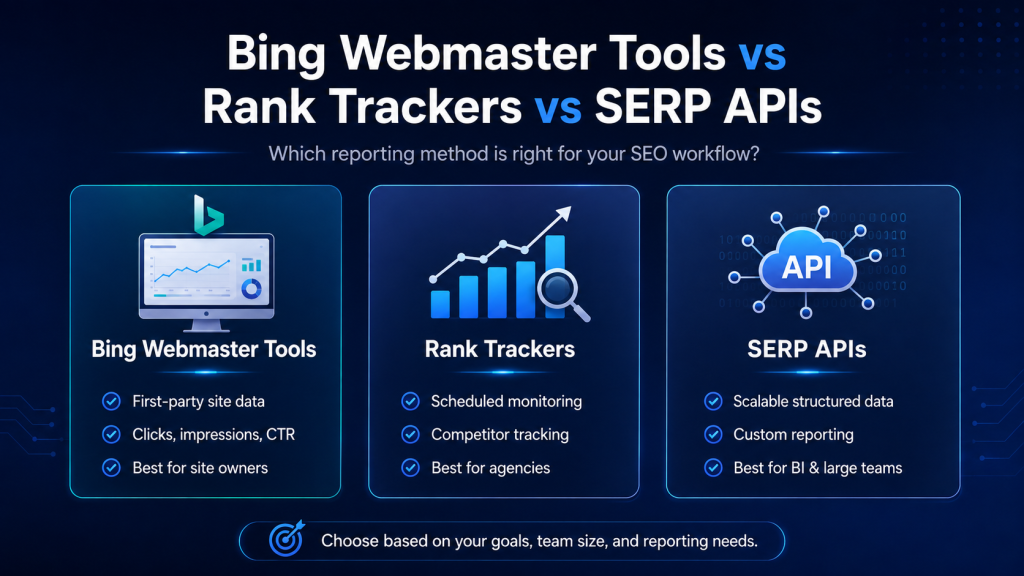
Different reporting methods solve different problems.
| Method | Best For | Main Strength | Main Limitation |
|---|---|---|---|
| Bing Webmaster Tools | Website owners and SEO teams | First-party performance data | Limited competitor rank tracking |
| Rank Tracker | Agencies and ongoing campaigns | Automated historical monitoring | Depends on vendor coverage |
| SERP API | Publishers, SaaS and BI systems | Structured scalable data | Requires technical setup |
| Manual Review | Small validation samples | Shows visual SERP context | Difficult to repeat at scale |
When Should You Use Bing Webmaster Tools?
Use it as your first-party foundation for:
- Search impressions
- Clicks
- Query trends
- Page-level visibility
- Indexing diagnostics
- Site health
It should usually be the starting point for Bing-specific website reporting.
When Should You Use a Rank Tracker?
A rank tracker becomes useful when you need:
- Scheduled checks
- Hundreds or thousands of keywords
- Multiple locations
- Device segmentation
- Competitor monitoring
- Historical ranking data
- Alerts
- Client reporting
When Should You Use a SERP API?
An API becomes useful when ranking information needs to feed:
- A custom dashboard
- Internal analytics systems
- SaaS products
- Large-scale competitor monitoring
- Client-reporting infrastructure
- Business-intelligence systems
For example, DataForSEO’s Bing SERP API documentation explains structured Bing result collection, location targeting, device options, and richer result types.
Do not build an API reporting system simply because it sounds more advanced.
Use the simplest reliable system that answers your business question.
How to Track Bing Rankings by Location and Device
Ranking reports can become unreliable when location, language, or device changes between checks.
Location
Keep your target market consistent.
Do not compare an international Bing result with a report specifically configured for India and treat the difference as an SEO movement.
For local campaigns, country-level tracking may also be too broad.
Different cities can have different:
- Competitors
- Local results
- Search intent
- SERP features
If location matters commercially, track it separately.
Device
Desktop and mobile results can differ.
If your report blends both, you may miss:
- A desktop gain
- A mobile decline
- Different SERP layouts
- Different competitor visibility
Separate device reporting when both traffic sources are important.
Language
Language settings should also remain stable.
The same keyword or topic may be interpreted differently in different language contexts.
Reliable reporting controls the environment before interpreting the movement.
Why SERP Features Matter as Much as Position
Position is not always the same as visibility.
Imagine that your page remains organic position three.
Previously, the result page looked like this:
- Organic result
- Organic result
- Your page
Later, the same query may show:
- AI-generated summary
- Paid result
- Image feature
- First organic result
- Second organic result
- Your page
Technically, your page may still be the third organic result.
But visually, users now encounter several elements before reaching it.
This is why SERP Features should be included in SERP reporting.
Academic research has documented the evolution of Google and Bing from primarily blue-link search results toward increasingly feature-rich result pages. One useful research reference is available through arXiv.
Track features that can influence attention, including:
- AI-generated summaries
- Ads
- Images
- Videos
- Related searches
- Local results
- Shopping elements
- News
- Answer-style modules
Organic Rank vs Absolute Visibility
Advanced reports can distinguish between:
Organic Rank: Your position among standard organic results.
Absolute Visibility: Your approximate visual placement when major SERP elements are also considered.
This gives a more realistic view of what the user actually sees.
How to Turn Bing Ranking Data Into SEO Actions
Ranking reports create value only when they improve decisions.
Use this decision matrix:
| Report Finding | Inspect First | Possible Response |
|---|---|---|
| Rank drops, same URL | Competitors, freshness, intent | Improve page if evidence supports it |
| Wrong URL ranks | Cannibalization, internal links | Clarify page roles |
| Impressions rise, CTR falls | Title, snippet, SERP layout | Improve search-result messaging |
| Rank stable, clicks fall | Demand and SERP features | Investigate visual competition |
| Competitor jumps | Format, coverage, freshness | Compare page-level differences |
| Bing weak, Google strong | Indexing and page selection | Investigate Bing-specific signals |
| Many keywords vanish | Tracking and indexing systems | Validate data before editing |
| AI citations increase | Cited pages and topics | Strengthen successful topic cluster |
| Small temporary movement | Historical volatility | Wait for more evidence |
Do Not Automatically Rewrite Content
A ranking drop can have many causes.
If Bing starts ranking the wrong page, rewriting your stronger page could worsen cannibalization.
If a new SERP feature reduces clicks, adding hundreds of extra words may not solve the problem.
If many unrelated keywords disappear simultaneously, the reporting system could be malfunctioning.
SEO reporting should reduce unnecessary work rather than create more of it.
The correct SEO response is not always “change the content.” Sometimes the correct action is to investigate, validate, or wait.
Sample Bing SERP Report
You can recreate this structure in Excel, Google Sheets, Looker Studio, a rank tracker, or an internal dashboard.
| Keyword | Intent | Current Rank | Previous Rank | URL | Device | SERP Change | CTR Trend | Priority | Action |
|---|---|---|---|---|---|---|---|---|---|
| enterprise CRM India | Commercial | 5 | 3 | /enterprise-crm/ | Desktop | AI summary added | Down | High | Review SERP and competitors |
| CRM pricing guide | Commercial | 8 | 11 | /crm-pricing/ | Desktop | None | Up | Medium | Monitor |
| what is CRM | Informational | 4 | 4 | /what-is-crm/ | Mobile | Image block added | Down | Low | Review visual SERP |
| company brand | Branded | 1 | 1 | Homepage | Desktop | None | Stable | High | No action |
Add an Interpretation Column
Raw data becomes much more useful when every priority row includes a short explanation.
Example:
“Organic position remained #4, but CTR declined after a large image feature appeared above the organic results. No major content change recommended until the SERP layout and demand trend are validated.”
One useful interpretation can provide more value to management than several decorative charts.
Bing SERP Reports vs Google SERP Reports
Bing and Google should be compared, but their ranking datasets should remain separate.
The same query can produce:
- Different ranking pages
- Different competitors
- Different positions
- Different features
- Different SERP layouts
| Comparison | Bing | |
|---|---|---|
| Ranking Position | Track separately | Track separately |
| Ranking URL | Record Bing-selected page | Record Google-selected page |
| SERP Features | Record Bing environment | Record Google environment |
| Performance | Use Bing data | Use Google data |
| AI Visibility | Microsoft AI reporting | Relevant Google/AI sources |
Imagine:
Google: Page A ranks #3
Bing: Page B ranks #7
That difference is valuable information.
It may indicate:
- Different search-intent interpretation
- Different relevance signals
- Indexing differences
- Internal-link ambiguity
- Different content preferences
Do not turn those two positions into an artificial “average search rank.”
Keep both engines separate at the measurement layer.
Compare Bing and Google side by side, but do not blend away the differences that make the comparison useful.
How to Report Bing SEO Performance to Clients or Management
A client-facing report should begin with outcomes rather than a huge ranking table.
A useful executive summary can show:
- Overall Bing visibility: up, down, or stable
- Three strongest gains
- Three important losses
- High-value pages affected
- Important competitor movement
- SERP feature changes
- AI citation movement where relevant
- Actions planned for the next period
The detailed ranking table can come afterward.
Avoid Vanity Gains
A keyword moving from position 70 to position 45 is technically a gain.
It may produce no meaningful traffic.
Avoid Averages Hiding Important Losses
Several small gains can hide one high-value commercial keyword falling from page one.
Prioritize using a framework such as:
Ranking Movement × Search Opportunity × Business Value × Confidence in Data
A decision-maker should understand the report’s main message quickly while still having access to enough evidence to verify the conclusion.
Common Bing Reporting Mistakes
1. Changing Tracking Settings
Changing location, language, or device can make trend data unreliable.
2. Treating Missing Data as a Ranking Loss
A failed API request is not automatically an SEO decline.
3. Blending Desktop and Mobile
This can hide device-specific gains or losses.
4. Ignoring the Ranking URL
A keyword can remain stable while Bing switches to an unintended page.
5. Ignoring SERP Features
Organic position can remain unchanged while visual visibility falls.
6. Overreacting to Daily Fluctuations
Not every one-position movement deserves an edit.
7. Tracking Too Many Meaningless Keywords
More data does not automatically mean better reporting.
8. Using Google Rankings as a Substitute for Bing Data
Track each search engine independently.
9. Creating Reports Without Actions
Data without interpretation rarely changes outcomes.
10. Failing to Validate Major Anomalies
If dozens of unrelated keywords disappear together, investigate the reporting system before rewriting dozens of pages.
Bing SERP Reporting Quality Checklist
Before making major SEO decisions, confirm:
- The same keyword set was used.
- Location remained consistent.
- Language remained consistent.
- Device settings remained consistent.
- The ranking URL was checked.
- Missing data was separated from real ranking losses.
- Priority searches were manually validated where appropriate.
- Major SERP features were reviewed.
- Competitor movement was considered.
- Search demand was considered.
- Collection dates were recorded.
- Large changes were compared with a longer baseline.
- Indexing problems were ruled out.
- The recommended action matches the evidence.
- A future validation date was assigned.
If the collection process changes, your trend line may end up measuring your reporting tool rather than Bing.
Bing SERP Reports and AI Search Visibility in 2026
Bing reporting has expanded beyond traditional organic rankings.
Traditional SEO reporting asks:
Where does my page rank?
Modern search visibility can also ask:
Where is my content being used as a source?
Microsoft introduced AI Performance in Bing Webmaster Tools in 2026 to provide publishers with more information about content citations across supported Microsoft AI experiences.
You can read Microsoft’s official announcement about AI Performance in Bing Webmaster Tools.
The reporting can help publishers understand areas such as:
- Cited URLs
- Citation activity
- Grounding queries
- Citation trends
- AI visibility patterns
Importantly, AI citations should not be treated exactly like traditional rankings.
A page being cited does not automatically mean it has a conventional organic ranking position inside an AI-generated response.
New AI Visibility Insights
Microsoft continued expanding AI visibility reporting in 2026 with additional dimensions including:
Intents
Grounding queries can be grouped according to broader user intent.
Examples may include:
- Informational
- Commercial
- Navigational
- Research
- Local
- Creation
Topics
Related queries can be grouped into broader thematic clusters.
This helps publishers understand not only individual queries but the larger subjects for which their content may be useful.
Citation Share
Citation Share provides additional visibility into how frequently a site’s content appears among citations associated with relevant grounding activity.
It should be treated as an observational visibility metric rather than a traditional ranking score.
Compare
Period comparison makes it easier to identify whether citation visibility is increasing, declining, or remaining stable over time.
For the latest details, see Microsoft’s official announcement on AI Visibility Insights in Bing Webmaster Tools.
Add an AI Visibility Layer to Your Report
For websites receiving meaningful AI citation activity, consider tracking:
| AI Metric | What to Review |
|---|---|
| Cited URL | Which pages become sources |
| Citation Activity | Changes over time |
| Grounding Query | Retrieval context |
| Intent | User purpose behind the query |
| Topic | Larger thematic cluster |
| Citation Share | Relative citation visibility |
| Organic Rank | Traditional Bing visibility |
| Business Relevance | Commercial importance of the topic |
Do Not Chase Citation Counts Blindly
Imagine two pages.
Page A receives many citations for broad low-value questions.
Page B receives fewer citations but those citations relate to important commercial research around your product or service.
Page B may be considerably more useful to the business.
AI visibility reporting should therefore connect:
Citation → Topic → Intent → Page → Audience → Business Value
For wider analysis of changing search formats, explore SERP Intelligence.
How to Improve the Chance of Being Useful in AI Search
No publisher can guarantee an AI citation.
However, strong content practices can make information easier for users and retrieval systems to understand.
Focus on the following areas.
Give Clear Answers
Answer important questions directly before expanding into detail.
Avoid forcing the reader to search through several paragraphs before finding the main answer.
Use Descriptive Headings
Headings should clearly describe what each section contains.
Good headings improve:
- User scanning
- Topic clarity
- Page structure
- Information retrieval
Support Important Claims
Statistics and factual claims should link to reliable original or authoritative sources.
Examples include:
- Microsoft
- Bing documentation
- Academic research
- Primary datasets
- Official industry documentation
Add Original Analysis
Do not only repeat what a tool does.
Explain:
- Why the data matters
- What changes mean
- When action is necessary
- When action is unnecessary
- What a user should investigate next
Use Tables When Comparison Helps
Tables are useful for:
- Tool comparisons
- Metric definitions
- Decision matrices
- Reporting templates
Do not use tables simply to make an article look longer.
Keep Topic Ownership Clear
Avoid publishing several near-identical pages competing for the same search intent.
Use clear internal linking to establish relationships between:
- Pillar pages
- Supporting articles
- Categories
- Research pages
Keep Important Information Updated
Search tools, dashboards, AI features, and SERP formats change.
Review time-sensitive articles regularly and update outdated claims.
How Often Should Bing Rankings Be Reviewed?
The right frequency depends on keyword value and volatility.
| Frequency | Best Use |
|---|---|
| Daily Collection | Critical or volatile keywords |
| Weekly Review | SEO operations |
| Monthly Reporting | Clients and management |
| Quarterly Audit | Strategy and keyword-set review |
Collection Frequency Is Not Decision Frequency
You may collect data every day.
That does not mean you should edit pages every day.
Frequent collection helps identify trends.
SEO changes should be based on evidence strong enough to justify the work.
Recommended Workflow
Daily: Collect high-priority keyword data automatically where needed.
Weekly: Investigate meaningful gains, losses, and URL changes.
Monthly: Summarize business impact, competitors, and planned actions.
Quarterly: Review keyword selection, competitors, page roles, SERP features, and reporting design.
For search experiments and SERP observations, visit SERP Lab.
Frequently Asked Questions
What Is a Bing SERP Report?
A Bing SERP report tracks how a website and its competitors appear in Bing search results for selected keywords, dates, locations, and devices. A strong report also includes ranking URLs, performance metrics, SERP features, competitor movement, and recommended actions.
How Can I Check My Bing Ranking for Free?
Start with Bing Webmaster Tools for first-party search-performance information. You can also manually validate a small number of important searches using consistent location and device settings.
Is Bing Ranking Different From Google?
Yes. Bing and Google can rank different pages and competitors for the same query. They may also display different SERP features, so their ranking datasets should be tracked separately.
Can Bing Rankings Change by Location?
Yes. Results can vary by country, region, or city. Keep your location settings consistent when comparing ranking periods.
Can Bing Results Differ on Desktop and Mobile?
Yes. Device context can affect result layouts and ranking visibility. Track desktop and mobile separately when both are commercially important.
What Is the Difference Between a Bing SERP Checker and a Rank Tracker?
A SERP checker is useful for occasional snapshots. A rank tracker is better when you need recurring checks, historical data, competitor monitoring, multiple locations, or scheduled reports.
Should I Use Bing Webmaster Tools or a Rank Tracker?
Use Bing Webmaster Tools as your first-party source. Add a rank tracker when you need more detailed recurring keyword and competitor monitoring.
How Often Should Bing Rankings Be Checked?
Weekly review is a practical starting point for active SEO campaigns. Important or volatile keywords may be collected daily, while management reporting is often more useful monthly.
What Should I Do When a Bing Ranking Suddenly Drops?
First check:
- Tracking settings
- Ranking URL
- Indexing
- SERP layout
- Competitors
- Search intent
- Technical problems
Do not automatically rewrite the content until the likely cause is identified.
Why Can Traffic Fall When My Bing Position Stays the Same?
Traffic can decline because of:
- Lower search demand
- SERP feature changes
- Paid-result growth
- AI-generated features
- A weaker title or snippet
- Stronger competitor messaging
Organic rank alone does not explain every traffic change.
Can Bing Webmaster Tools Show AI Citations?
Yes. Microsoft’s AI Performance features provide insights into supported AI citation activity and related visibility patterns.
Are AI Citations the Same as Organic Rankings?
No. Citation activity and traditional organic position should be treated as related but separate forms of visibility.
Should a Small Website Track Bing?
Check your actual impressions, traffic, rankings, conversions, and business value first.
If Bing creates meaningful opportunity, track it properly.
If not, use lighter monitoring rather than allocating unnecessary resources.
Final Bing SERP Reporting Checklist
Before calling your reporting process complete, make sure it can answer:
- What changed?
- Which page changed?
- Which keyword was affected?
- What was the previous rank?
- What is the current rank?
- Which location was tracked?
- Which device was tracked?
- Did the ranking URL change?
- Did the SERP layout change?
- Did competitors move?
- Did impressions change?
- Did CTR change?
- Is the keyword commercially important?
- Are AI citations relevant?
- What action is recommended?
- Who owns the action?
- When will the result be reviewed again?
If your report cannot answer these questions, it probably needs better context—not more decorative charts.
Conclusion
Bing SERP reporting is most useful when it removes uncertainty.
Instead of seeing a green or red arrow and guessing what happened, combine:
Keyword + Ranking URL + Location + Device + SERP Features + Performance + Competitors + Business Impact + Action
In 2026, search visibility is also expanding beyond traditional organic rankings.
Microsoft’s AI Performance reporting gives publishers another way to understand where their content may appear as a source across supported AI experiences.
This creates two important questions for modern Bing reporting:
Where does your page rank?
and
Where does your content become a source?
Do not give Bing the same SEO budget as Google simply because both are search engines.
Give Bing attention in proportion to the real opportunity it creates for your audience and business.
Then build a reporting process that is:
- Accurate
- Repeatable
- Source-backed
- Easy to understand
- Connected to business value
- Focused on actions
The goal is not to produce more ranking reports.
The goal is to make better SEO decisions from the ranking information you already have.
For continued search-result research, competitor analysis, SERP changes, and search visibility insights, explore SERPNews, SERP Intelligence, SERP Features, SERP Lab, and Online SERP.
